My Avatars


Facebook Badge

followers

Popular Posts


Friday, June 8, 2012
Strike A Pose

This tutorial is my creation and any similarities to other tutorials is purely accidental.
Written on 6.7 by Toxic Tutorialz
Written on 6.7 by Toxic Tutorialz
Any version should work
Do Not Claim as Your Own
Link Back to My Blog
Do Not Claim as Your Own
Link Back to My Blog
Remember to Save Often!!
You will need
PSPX2
Tube used for tutorial
is by Arthur Crowe
is by Arthur Crowe
Please purchase a license before using any tube
AnimationShop
Font
HoneyScript
HoneyScript
Let's Begin with a 600 x 550 blank canvas
Bring Wire into psp
C/P as a new layer onto canvas
Bring flame into psp
Repeat as before
Bring Camera into psp
C/P as new layer and position in center of canvas
Pull paper of choice into psp
Use magicwand to select center of camera
C/P your paper as new layer and invert delete DO NOT DESELECT YET
Bring tube into view
Make the camera layer the active layer
C/P tube as new layer Hit Delete
Move tube layer below camera layer but above paper layer
Set the blendmode on tube layer to screen or one of your choice
Close this layer off
C/P your tube again but this time resize to 65%
Choose another blendmode I chose SoftLight
Close this layer off
Now on your tube images
C/P AS NEW LAYER BUT NOT ON CANVAS
Image Free Rotate and ROtate all layers by 90 right
C/P this as new layer onto camera Hit delete
Set the blendmode to multiply
Make sure all tube layers are below your camera layer but above paper layer
Now paste your original tube as new layer & Place on left side of camera
Finish your tag off by adding elements of choice
I used the lips,skull,guitar bracelet, musical notes and ribbon2
Place the ribbon at the bottom
Place musical notes on bottom right side Image Duplicate Flip
Add your copywrite
Set your BG to Paper1 FG to a color from tube
Font set on HoneyScript Size 24 Type out your name
Convert to raster Resize to 135
Apply a gradient glow of white size 3.00
--------------------------------------------
Now its time to animate
So make your paper layer the active layer
Close off small tube layers for now
Edit Copymerged Paste as new animation in animationshop
Back to psp
Open small tube layer1
Edit Copymerged Paste after current frame in aniamtionshop
Back to psp
Close off small tube layer 1 Open small tube layer 2
Edit COPYMERGED Paste after current frame in animationshop
Back to psp
Close off small tube layer2
Open small tube layer 3
Edit Copymerged Paste after current frame in animationshop
In animationshop
Edit SelectAll
Aniamtion Frame Properties Set speed to 85
View Animation and save
Tuesday, June 5, 2012
Independence
This tutorial is solely my creation and any resemblences to others is purely coincidental
This tutorial was written by ToxicPoison on 6.4.12
Any version should work
Do Not Claim as Your Own
Link Back to My Blog
Remember to Save Often!!
Tools Needed
PTU Kit
4thofJulyMade by
BrokenSky Dezine
Tube Used for tutorial is by KeithGarvey
Please purchase a license at PTE before using any tubeAnimationshop
Font
VivaldiLet's begin with a 600 x 500 blank image
From the elements folder bring BSD 24 INTO PSP
C/P as new layer onto image
Image Rotate Free Rotate by 90 right
Use magicwand to select center of frame
Bring BSD 11 into psp
Paste onto image as new layer
Selections Invert Delete Selections Select None
Bring BSD 33 into psp and paste as new layer onto image
Place on left side inside frame
Paste your tube as new layer and place on right side on frame
Use your selection tool to select around the bottom part of tube that over hangs
Hit Delete
Apply a gaussian blur of 6.00
Paste your tube again and line it up with the first one
Duplicate & close off the top duplicate
Set your blend mode to soft light on the original of the duplicate
Now open the duplicate
Bring BSD 28,29 AND 30 into psp
Paste each of these as new layers inside the frame on left side
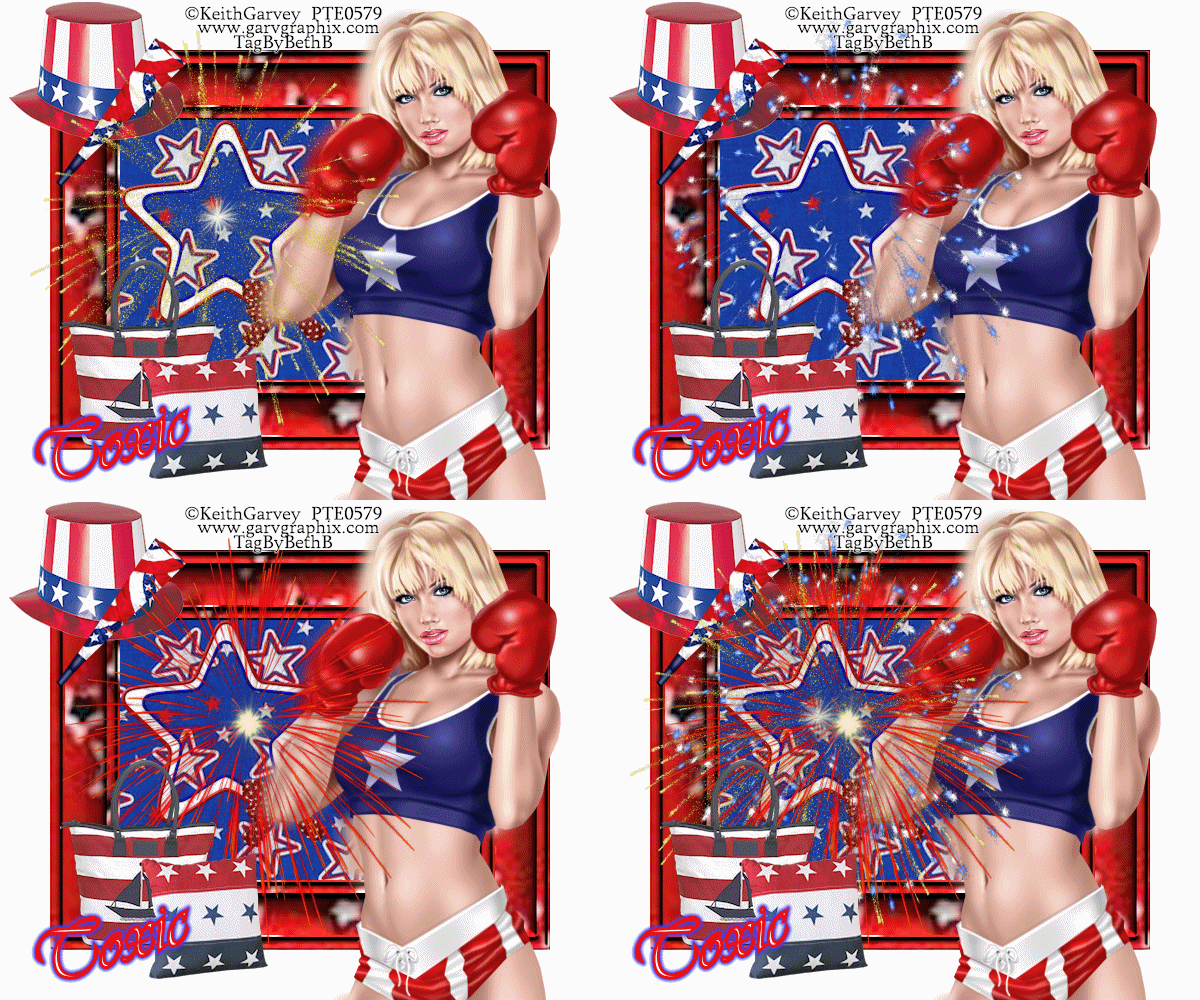
Use mine above for placement
Bring other elements of choice into psp
Place them where you like best
Set your BG to white and FG TO RED
Font set as Vivaldi size 18
Type out your name Convert to Raster
Place at bottom on the left
Add your copywrite
NOTE- If you don't want animation then save as png,if you want animation,read on
Open Animationshop
Jump down to bottom layer and floodfill with white
Close off two of your fireworks
Making sure you are on your active firwork layer
Edit Copymerged Paste as New Animation in Animation Shop
Back to psp
Close off firework 1
Open firework 2
Repeat the above steps
Back to psp
CLOSE OFF firwork 2 Open Firework 3
Edit Copymerged
Paste as after current frame in Animationshop
Back to psp
Open all firework layers
Edit Copymerged Paste as New Animation in Animationshop
Set your speed to 40 and View
Save as gif
Subscribe to:
Posts (Atom)
LinkWithin

About Me

Grab My Blinkies


I CT for


Script Tester 4

My Stalker Hits
Blogs I stalk