My Avatars


Facebook Badge

followers

Popular Posts


Thursday, July 5, 2012
Imaginary Life
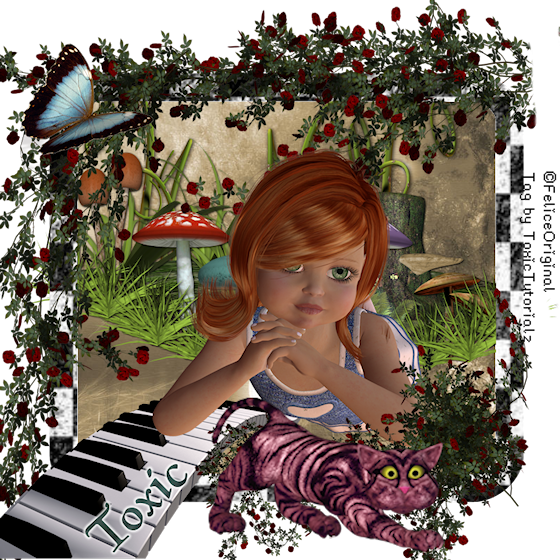
This tutorial is sole property of ToxicTutorialz & any resemblence to others is purely accidental
Written on 7.5.12 in PSPX2
Any version should work
Do Not Claim as Your own
Link Back to My Blog
Remember to SAVE Often!!!
You will need
Version of PSP
PTU Kit
Imaginaerum
Made by
No Outside tubes used
Font used
MagicMedieval
Begin by opening a 800 x 800 blank canvas
Pull ma3 into psp
Set the paper as FG,BG Null
Click on your preset shape tool,Rounded Rectangle,Width 40,Line Solid,AntiAlias Checked
Draw out a large rectangle but not too large
Convert to Raster Layer, Use magicwand to select center
Pull paper of choice into psp,I used Paper2
Copy n Paste your paper as new layer over frame
Selections Invert Delete Deselect
Move paper layer below your frame layer
Pull PianoKeys into PSP
Copy n Paste as new layer onto canvas
Resize to 50%
Image Mirror
Place on bottom left side
Pull vines1 & 2 into psp
Copy n Paste vines1 as new layer
Resize to 50%
Place on bottom right side on frame
Repeat for vine2 but place on top and flip
Pull shroomscluster or one of your choice into psp
Paste as new layer Resize to 50%
Place inside frame Position in center
Use eraser to erase any overhang
Pull butterfly into psp
C/P as new layer Resize to 45%
Place where you like
Pull Poser of choice into psp
I used Demi
C/P as new layer
Resize to 55% Place on right side inside frame
Now pull chesire cat into psp
Paste Resize to 70%
Place on bottom
Add your copywrite
Set your font on MagicMedieval
Size 28 BG paper14 FG Null
Type out your name
Convert to raster
Merge all visible
Resize to 70% all layers checked
Save as png

Wednesday, June 13, 2012
Playa
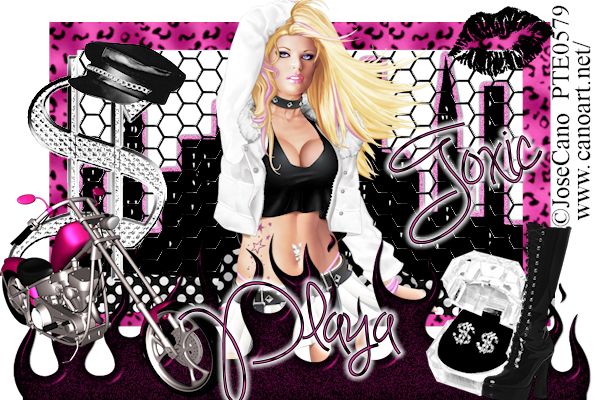
This Tutorial is my creation and any similarity to other tutorials is accidental
Written by ToxicTutorialz on 6.13.12 in PSPX2Any version should work
Do Not Claim as Your OwnLink Back to My Blog
Remember to Save Often!!
You will need
Version of PSP
PTU Kit
Girls Girls GirlsMade by
Freeks' Creations
Tube used for tutorial
is by Jose Canoat PTE
Font used
Simply GlamorousOpen a 600 x 400 blank canavas
Drag E40 from kit into psp
C/P as new layer onto working canavas
Image Resize to 85%
Pull E30 into psp
Use your magicwand to select center of fraame
C/P E30 AS NEW LAYER
Use mover tool to move wire on the left side
Selections Invert Delete
Duplicate Image Mirror
Line duplicate up with the one on the left
Move your wire layers below frame layer
Pull E38 into psp
C/P as new layer
Place on frame
Move this layer below frame layer and wire layers
C/P closeup tube as new layer and rezie to 75%
Place in center of canvas
Pull E35 into psp
Paste onto canavas and place at bottom
Add other elements of your choice
I added the motorcycle,cap,blackboot,earrings,money sign, & blacklips
Resize each element between 40 to 55% and place where you like best
Add your copywrite
Subscribe to:
Posts (Atom)
LinkWithin

About Me

Grab My Blinkies


I CT for


Script Tester 4

My Stalker Hits

Blogs I stalk

