My Avatars


Facebook Badge

followers

Popular Posts


Sunday, April 8, 2012
Skull Babies
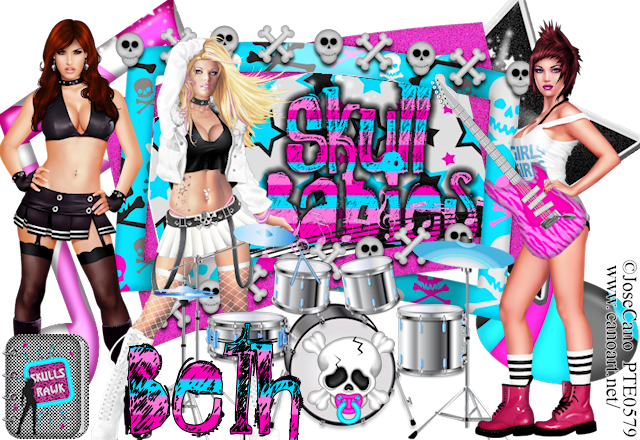
This tutorial was written by BethB on 4.8.12 and is my own creation
Any resemblences to other tutorials is purely accidental
Any resemblences to other tutorials is purely accidental
Written in PSPX2
Any version should work
Do Not Claim as Your Own
Link Back to My Blog
Any version should work
Do Not Claim as Your Own
Link Back to My Blog
Tools Needed
Let's Begin with a 800 x 550 blank canvas
Drag E39 into psp
Paste as new layer
Use magicwand to select center of frame
Drag Paper of choice into psp I used P7
Copy/Paste as new layer
Selections Invert Delete Deselect
Move P7 layer below your frame layer
Drag E23 into psp
Paste as new layer
Place at bottom in center
Move your frame & paper layer toward top
Drag E12 into psp
Paste
Resize to 35%
Place on front of bottom drum
Paste your 3 tubes as I have them in my tag above
Drag E4 into psp
Paste as new layer
Resize to 55%
Use your picktool grabbing the control arm in center
Pull up
Place guitar on right side in front of your tube
Grab your eraser size 3
Erase bits of the guitar by the tubes hand
Drag E3 into psp
Paste as new layer
Resize to 35%
Place at bottom left side near your tube
Drag Elements 1,5,& 20 into psp
Paste E20 as new layer
Place on left side
Move this layer below all layers
Repeat the above steps for Elements 1 & 5
But place them on right side
Use my tag for Guidance
Add your copywrite
Set your font to RockShow Whiplas Size 28
BG to Paper4 FG to Black
Type out Skull Babies
Convert to Raster
Place inside frame

Friday, April 6, 2012
Magical Mushroom
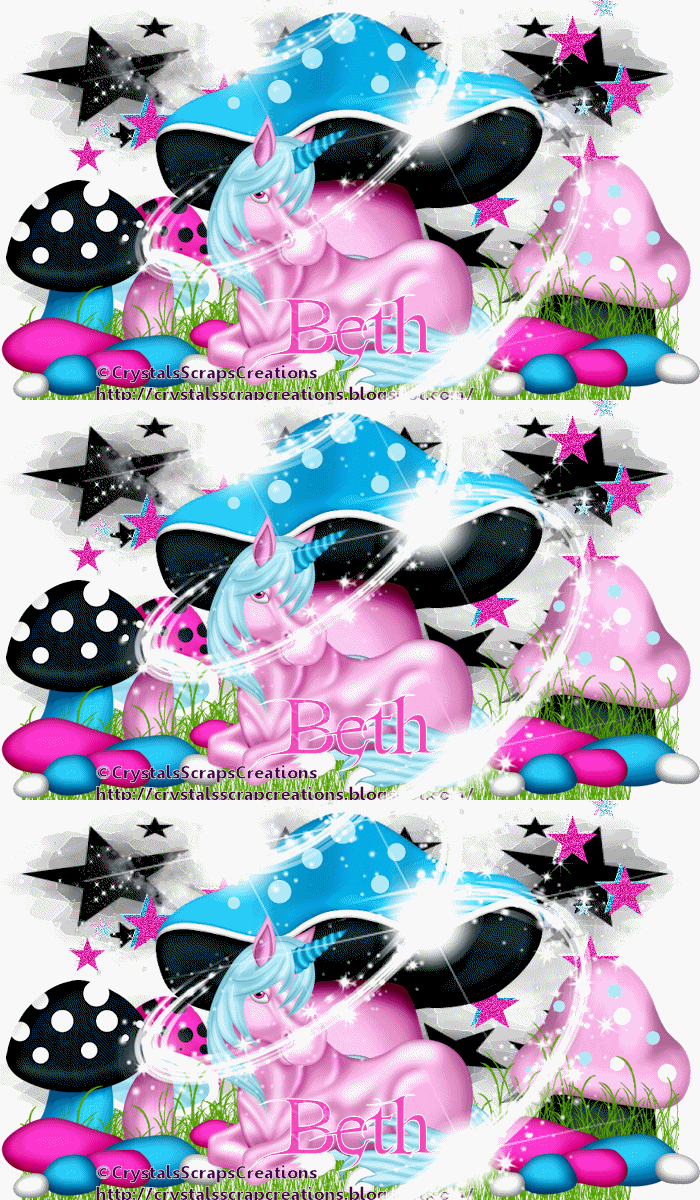
This tutorial was written by BethB on 4.6.12 and is my own creation
Any resemblences to other tutorials is purely accidental
Any resemblences to other tutorials is purely accidental
Written in PSPX2
Any version should work
Do Not Claim as Your Own
Link Back to My Blog
Tools Needed
No outside tubes used
Mask42
BY Vix
@
@
AnimationShop
Let's Start by opening a blank 700 x 400 canvas
Floodfillw ith white
Drag EE17 into psp
Paste as new layer in center
Resize to 80%
Drag EE39 into psp & Paste
Place at top behind mushroom house
Drag EE3 into psp & Paste
Place behind mushroom house and move toward top
Drag EE22 into psp
Paste & Place on the left behind mushroom
Duplicate Image Mirror
Drag ELEMENTS 20,21, & 23 into psp
Paste the mushrooms and resize to 45%
Place on both sides of canvas
Move these 2 layers below the grass layers
Now Paste ee23 as new layer
Resize to 45%
Place on left side at bottom
Duplicate Image Mirror
Drag EE24 into psp
Paste as new layer
Resize to 65%
Place at bottom in front of mushroom house
Bring EE7 into psp
Paste
Place in center
Drag PP8 INTO psp
Jump down to bottom layer
Paste your paper as new layer
Apply your mask
Right click on mask layer & merge group
Bring your mask to the top so that it shows behind the mushroom
Add your copywrite
Drag PP6 into psp
Set as your BG on material palette
FG White
Font set as FairyDust Size 20
Type out your name
Place at bottom in front of unicorn
Jump up to your sparkleswirl
Duplicate twice for a total of 3
Close off duplicates
Edit CopyMerged
Paste as new animation in Animationshop
Back to PSP
Open duplicate 2 layer of your sparkleswirl
Edit Copymerged
Paste into animationshop after currentframe
Back to psp
Repeat the above steps for last duplicate layer
Edit Copymerged
Paste into Animationshop after currentframe
Now in Animationshop you should have 3 frames
Go up to Edit Select All
Animation Frame Properties
Change speed to 45
View Animation and save as gif
Subscribe to:
Posts (Atom)
LinkWithin

About Me

Grab My Blinkies


I CT for


Script Tester 4

My Stalker Hits

Blogs I stalk

