My Avatars


Facebook Badge

followers

Popular Posts


Friday, March 23, 2012
MorningDew
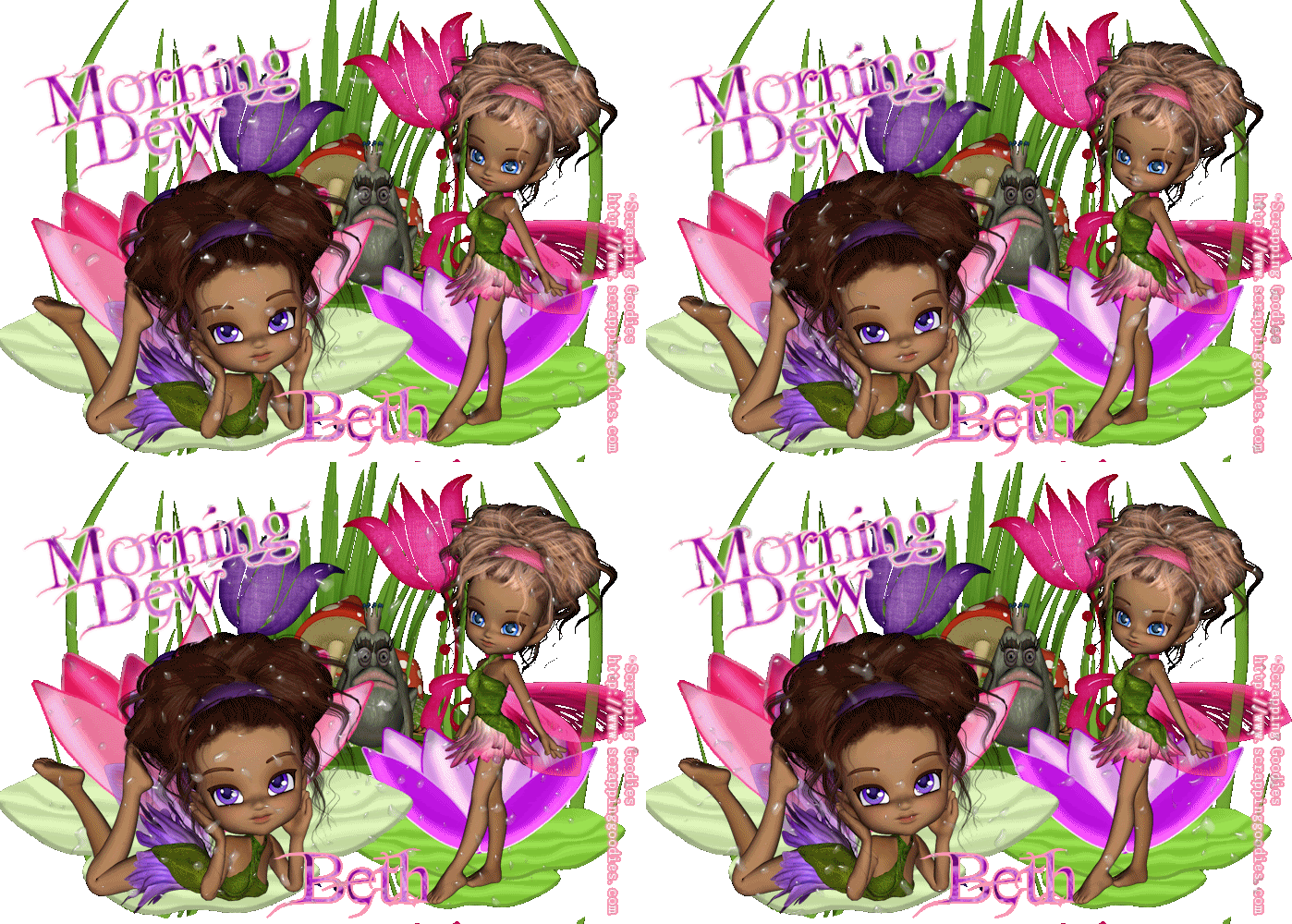
This Tutorial was written by BethB on 3.23.12 & is my own creation
Any resemblences to other tutorials is purely accidental
Any resemblences to other tutorials is purely accidental
Was written in PSPX2
Any version should work fine
Do Not Claim as your Own
Link Back to My Blog
Any version should work fine
Do Not Claim as your Own
Link Back to My Blog
Tools Needed
AnimationShop
Plugin
EC4/Waterdrops
EC4/Waterdrops
Font
FairyDust dafont.com
FairyDust dafont.com
Let's Get Started
Open a 700 x 500 blank image
Bring the following elements & fairies into psp
grass,feaprop16,lilypad1,lilypad2,glassflower1 & 2,Leelee5 & liliay6
Paste the feaprop as new layer & resize to 60%
Place in center toward the top just a bit
Now paste the grass and resize to 60%
Place on the left side of image
Duplicate - Image-Mirror
Copy & Paste lilypad2 as new layer
Resize to 65% Place on bottom left side
Now repeat pasting lilypad1 but place on bottom right
Resize to 55%
Copy & Paste Glassflower 2 as new layer
Place on left side
Move flowerlayer below your lilypad layer
Repeat above steps with Glassflower1
Place on right side
Now C/P the fairies and place Leelee on the bottom left
Place Liliay on the bottom right side
You will need to image- mirror them both
Use eraser to get rid of any overhang from bottom
Bring frog into psp
Paste on image as new layer
Resize to 25%
Place on mushroom
Set font to FairyDust-
S 30,
B=Bold-
LineStyle-Solid-
BG PAPER3
FG #ff9bb5
S 30,
B=Bold-
LineStyle-Solid-
BG PAPER3
FG #ff9bb5
Type out Name
Convert to RasterLayer
Place at bottom
Using the same settings as above
Type out MorningDew
Convert to RasterLayer
Place at the top where you like
Add your copywrite
Open Animationshop
Effects-Plugins-EC4-waterdrops with the settings listed below
13.73
20
50
80
50
80
Color-white
Seed 4112

Edit-Copymerged-Paste into Animationshop
As New Animation
Back to psp
Edit Hit Undo waterdrops
Apply Same Plugin Set Seed to 7542
Edit Copymerged Paste into AS after currentframe
Back to psp
Edit Hit undo again
Apply Plugin again
Set seed to 2801
Edit CopyMerged Paste into AS AFTER CURRENTFRAME
BACK TO PSP
Hit undo
Reapply with the seed set to 2012
Paste into AS after currentframe
Edit Select All Animation FrameProperties
Change speed to 40
Save as gif

Thursday, March 22, 2012
Unbreakable
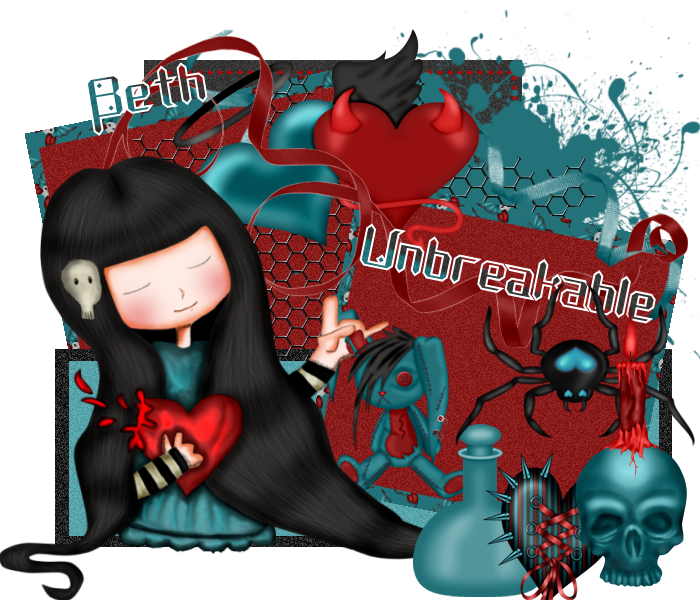
This tutorial was written by BethB on 3.22.12 and is my creation
Any resemblences to other tutorials is purely accidental
Was written in PSP X2
Any version should work
Do Not Claim as your Own
Link Back to my Blog
Tools Needed
Unbreakable Template
Made by SummerDreams
Made by SummerDreams
Font Called Diamond Fantasy
Artwork by Kirenia
Let's Begin by deleting the watermark
Use papers from kit to floodfill your layers
Bring Splat1 into psp
Paste as new layer
Place on right top side behind frame
Bring Wire into psp
Paste as new layer
Place in center of frames
Move your wire layer on palette below the right side frame
Look in the artwork folder and pull the tube into psp
Highlight the top layer
Copy and Paste onto your template
Image - Mirror-Position on left side at bottom
Bring ribbons into psp from elements folder of the kit
Paste as new layers
Place toward the top
Move ribbons below tube layer
Bring the Angel&DevilHeart into psp
Paste as new layer
Place at top in center of frames
Bring other elements of choice into psp
Im using Bottle,Candle,Bunny,Spider and SpikedHeart
Paste them and place at bottom the way you like best
Set your font to Diamond Fantasy-Size 30- BG to P8- FG wHITE
Type out Unbreakable - Convert to Raster
Next type out your name - Convert to Raster
Place where you like
Add your copywrite
Merge all visible - Save as png
Subscribe to:
Posts (Atom)
LinkWithin

About Me

Grab My Blinkies


I CT for


Script Tester 4

My Stalker Hits

Blogs I stalk

